Browser tool
Browser OCR Workspace
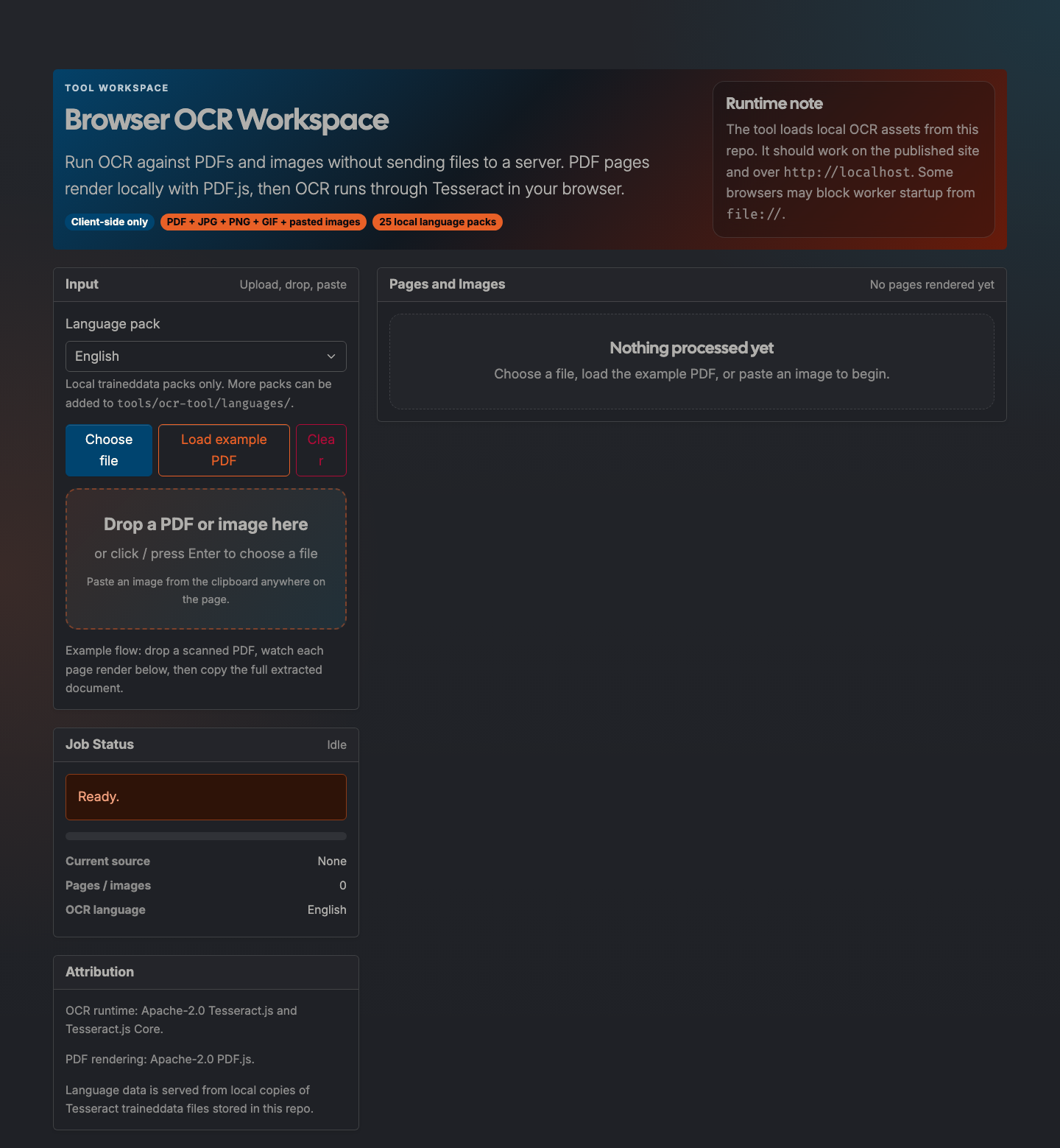
Client-side OCR for PDFs and images using local PDF.js and Tesseract runtimes, with browser-cached language downloads, per-page output, and a combined full-document view.
What it does
Browser OCR Workspace extracts text from PDFs and images without uploading files to a server.
The workflow is intentionally inspectable: each rendered page or image is shown next to the extracted text so you can review OCR quality before copying the combined document.
How to use it
- Open: https://preview.tedt.org/tools/ocr.html
- Choose an OCR language pack. The first use of a language downloads the traineddata into the browser cache.
- Drop a PDF or image, choose a file, paste an image, or load the bundled example PDF.
- Review each page/image result.
- Copy the full document from the combined output panel.
Notes
- The PDF.js and Tesseract runtime assets are vendored locally.
- Language data is fetched on demand from the public Tesseract.js data packages and cached by the browser.
- Worker-based OCR is most reliable on the deployed site or over
http://localhost.
Screenshots