Browser tool
Markdown Front Matter Workbench
Convert formatted clipboard or file content into safe Markdown, edit complete documents, validate YAML front matter, and preview or export the result locally.
What it does
Markdown Front Matter Workbench is a client-side authoring and conversion tool. Use it to edit a complete Markdown document or to turn formatted content copied from a document, web page, or email into clean Markdown.
The workspace separates two concerns:
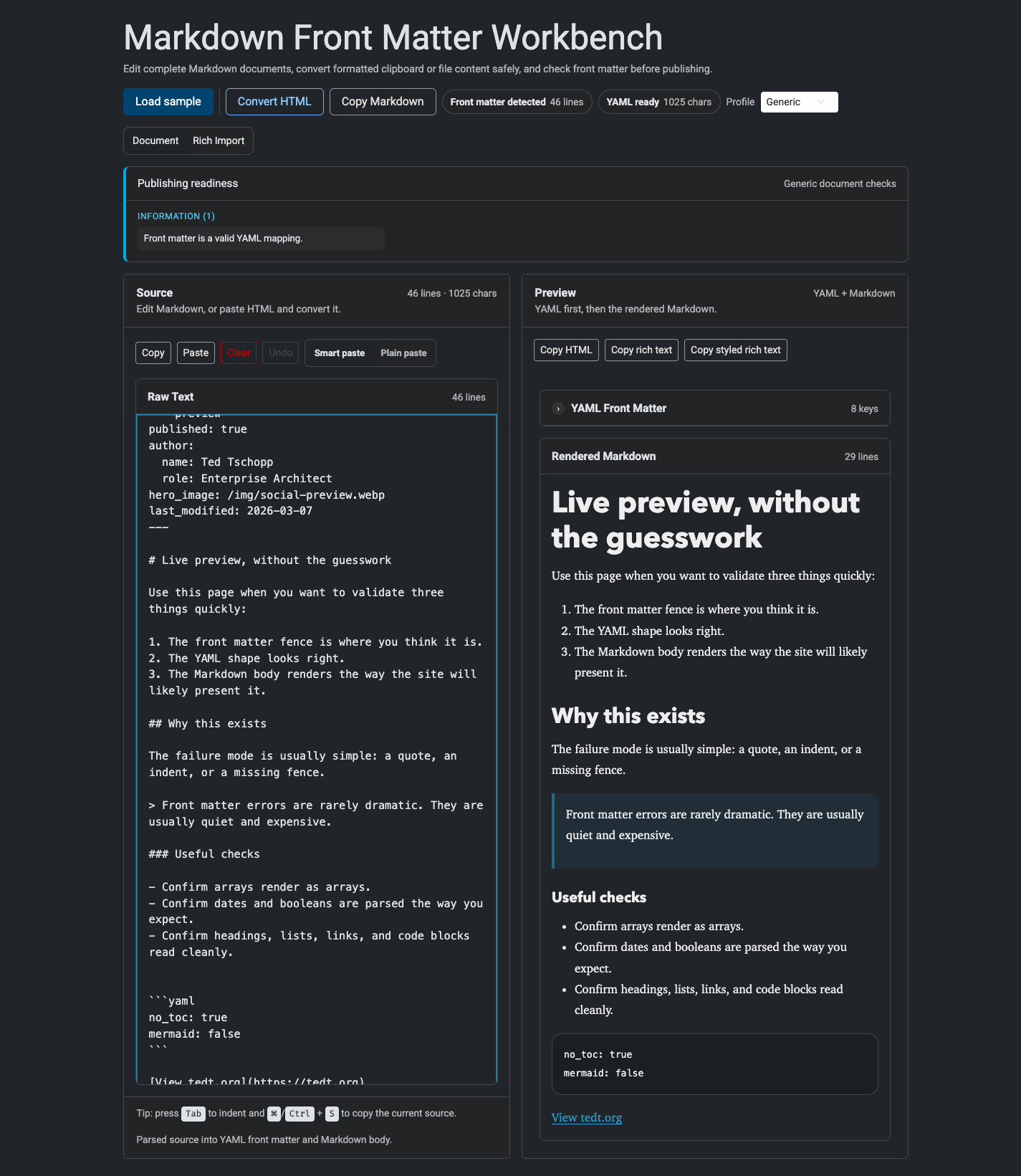
- Document keeps YAML front matter and Markdown together with a live preview.
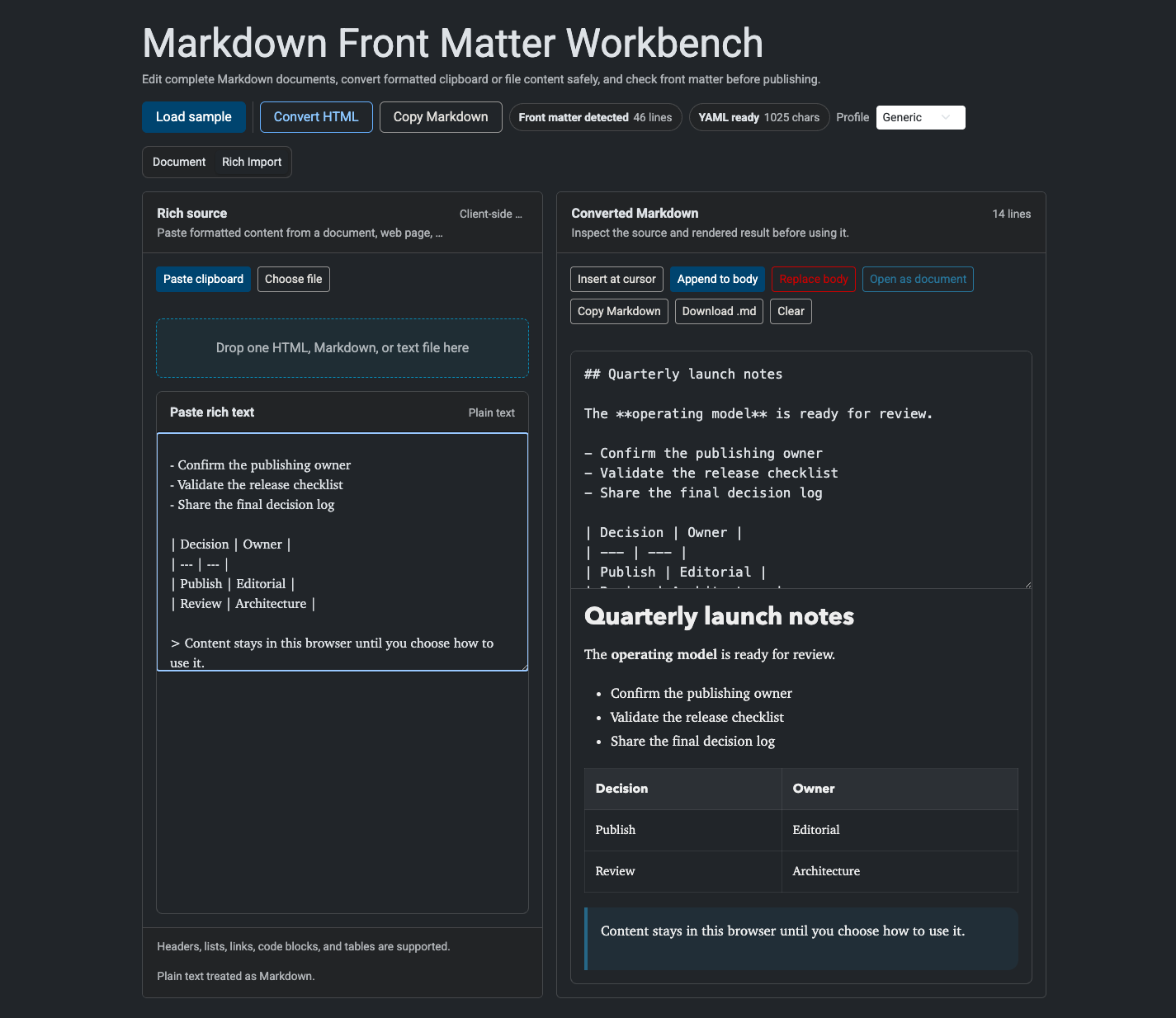
- Rich Import sanitizes formatted clipboard or HTML content, converts it to Markdown, and lets you inspect it before changing the active document.
Smart paste can insert converted content into the Markdown body, but it will not overwrite front matter. If a rich paste targets YAML, the tool moves the conversion into Rich Import and leaves the document unchanged.
How to use it
- Open: https://preview.tedt.org/tools/markdown-frontmatter-preview.html
- Use Document for a complete Markdown file with optional YAML front matter.
- Choose Smart paste to convert rich clipboard HTML inside the Markdown body, or Plain paste for normal clipboard behavior.
- Use Rich Import to paste formatted content or load one
.html,.htm,.md,.markdown, or.txtfile up to 5 MiB. - Inspect and edit the converted Markdown, then insert it at the document cursor, append it, replace the body, copy it, or download it.
- Switch to the Tedt.org profile for bounded authoring checks based on this repository’s common front matter contracts.
Screenshots

Notes
- If no front matter fence is detected, the tool renders the whole blob as Markdown.
- If the opening fence exists but the closing fence is missing, the tool stops and shows the fence error clearly.
- Rich HTML is sanitized with DOMPurify before Turndown converts it, and rendered Markdown is sanitized again before preview.
- YAML parsing uses
js-yaml; Markdown rendering uses a pinned version ofmarked. - The active document and small UI preferences are stored only in localStorage. Legacy document cookies are migrated once and deleted.
- Clipboard actions include source copy, HTML copy, rich text copy, and styled rich text copy where the browser context allows it.
- Direct DOCX/RTF parsing, remote URL loading, Liquid execution, and server-side validation are intentionally out of scope.
Screenshots