Browser tool
Image Tools
Client-side image editor, JPEG optimization, and SVG utilities (crop/resize/export, SVG sandbox, and embed helpers).
What it does
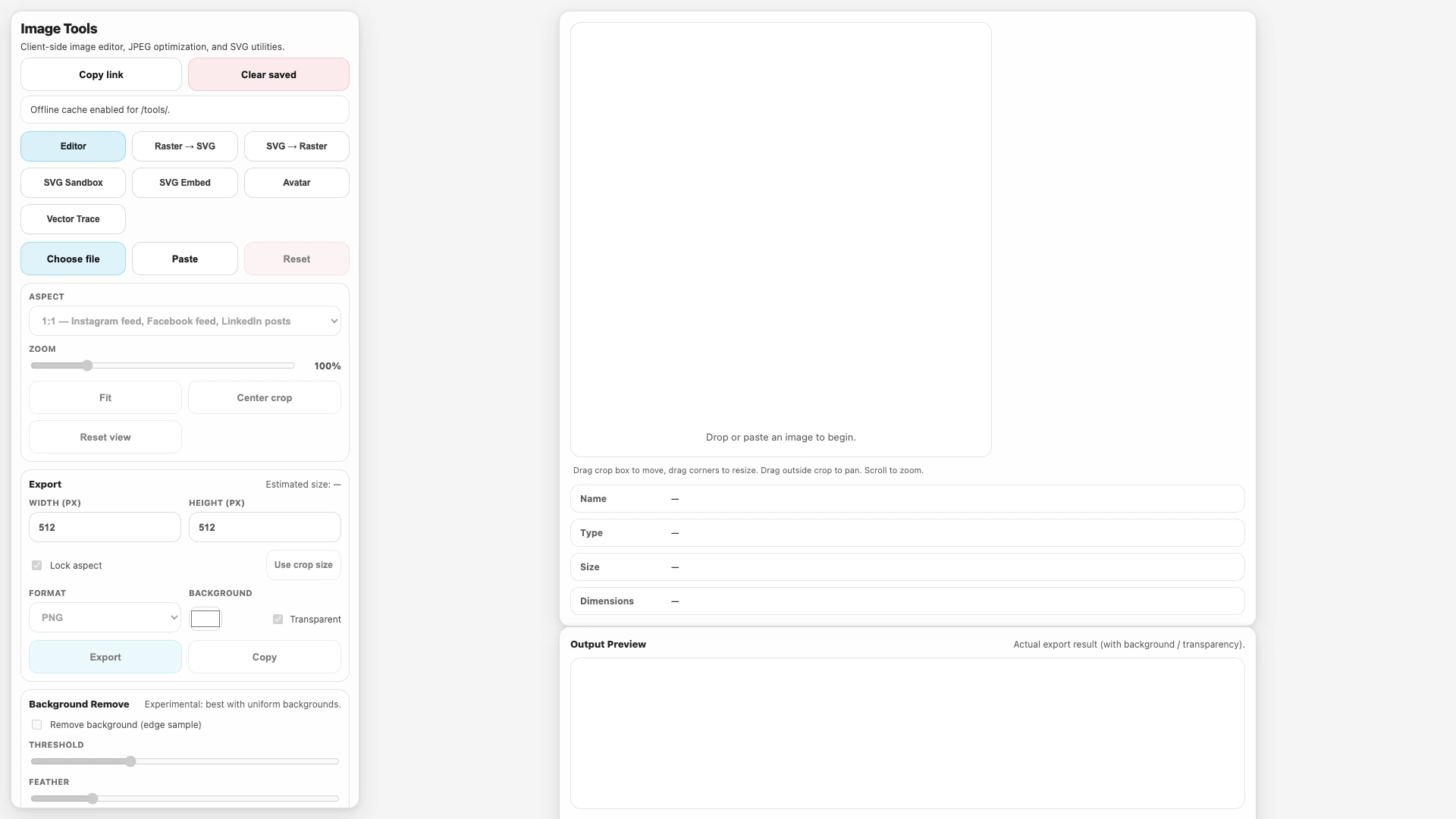
Image Tools is a single-page, client-side toolkit for common image tasks: crop/resize/export, lightweight JPEG optimization, and several SVG utilities.
It’s designed to be practical for day-to-day web work: quick crops, predictable output sizing, and safe handling of pasted SVG.
How to use it
- Open: https://preview.tedt.org/tools/image-tools.html
- Load an image: drag/drop, choose a file, or paste from clipboard
- Switch tools: use the tabs (Editor, SVG tools, Vector Trace embed)
Tool tabs
- Editor: crop/zoom + resize + export (PNG/JPEG), optional background flattening, and an experimental background remove.
- Raster → SVG: wraps a raster image into an SVG that contains an
<image href="data:…">element.- This is not vector tracing; it preserves the raster pixels.
- SVG → Raster: paste/upload SVG, sanitize it, render to canvas, then export to PNG/JPEG.
- SVG Sandbox: paste/upload SVG, sanitize it (scripts and unsafe elements removed), and preview the rendered result.
- SVG Embed: sanitize SVG and generate a base64
<img>tag + data URI. - Vector Trace: embedded iframe of the standalone vector tracing tool.
Sharing, persistence, offline
- Copy link generates a shareable URL containing the current settings (query params like
tab=, size, format, etc.). - Saved state is stored locally in
localStorageso refreshes restore your last-used settings. - Offline support is enabled via a service worker after first load (requires HTTPS or
http://localhost). The cache scope is limited to/tools/.
Notes
- Everything runs locally in the browser (no uploads).
- Clipboard buttons and service-worker caching require a secure context (HTTPS or localhost).
- For SVG inputs, the sanitizer intentionally strips scripts,
foreignObject, and external URL references to reduce the risk of executing untrusted content.
Screenshots